
How to Swap Bitcoin (BTC) for Monero (XRM) with an Internal Swapper
While Exodus will be used as an example, this does not imply an endorsement of Exodus. You are encouraged to choose the wallet that best fits your needs.
Using the internal swap function will incur higher fees than using an external swapper. Internal swapper fees range from 2% to 3% per transaction.
Swapping Bitcoin (BTC) for Monero (XMR) on Exodus is a straightforward process. Exodus provides an integrated exchange feature that allows you to swap cryptocurrencies directly within the wallet.
Step 1. Open Your Exodus Wallet
Access Your Wallet: Launch the Exodus wallet application on your computer or mobile device and log in.
Step 2. Go to the Swap Feature
Navigate to the Swap Tab:
On the main dashboard, the third icon from the left at the top, is the Swap tab.
This tab allows you to swap one cryptocurrency for another. Click on it.
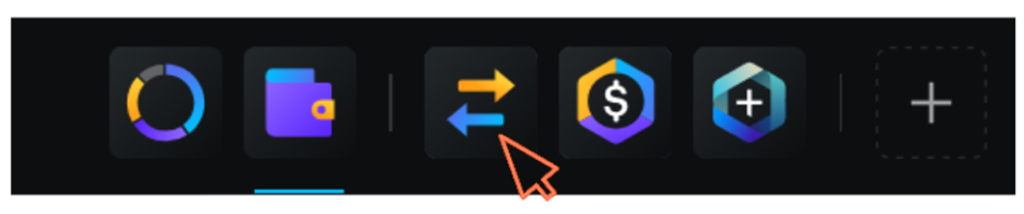
Step 3. Select BTC and XMR
Choose the Cryptocurrencies:
From: Select Bitcoin (BTC) as the cryptocurrency you want to swap from.
To: Select Monero (XMR) as the cryptocurrency you want to receive.
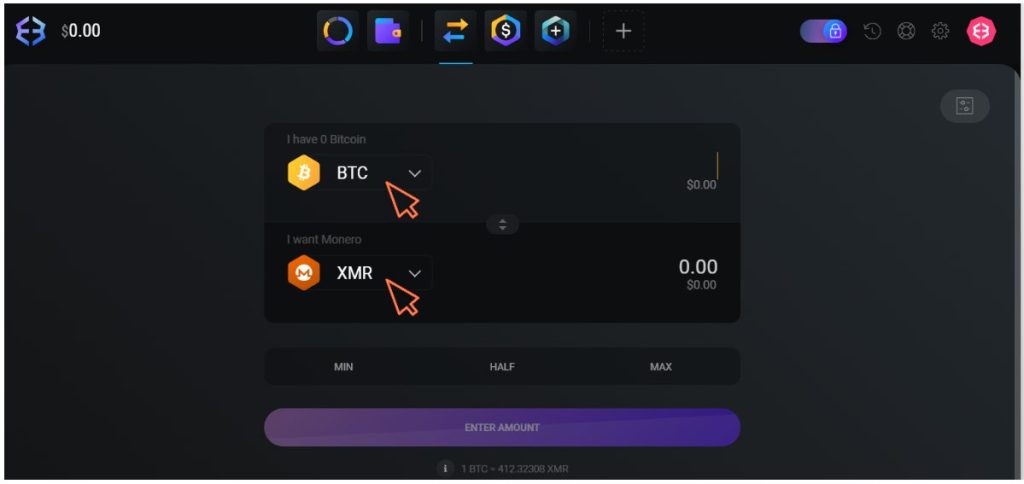
Step 4. Enter the Swap Amount
Specify Amount: Enter the amount of Bitcoin (BTC) you want to exchange. The wallet will automatically display the equivalent amount of Monero (XMR) you will receive based on current exchange rates.
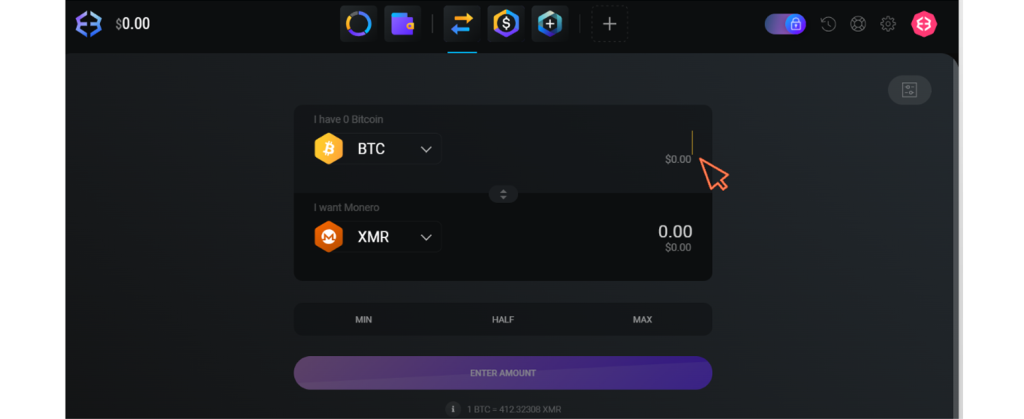
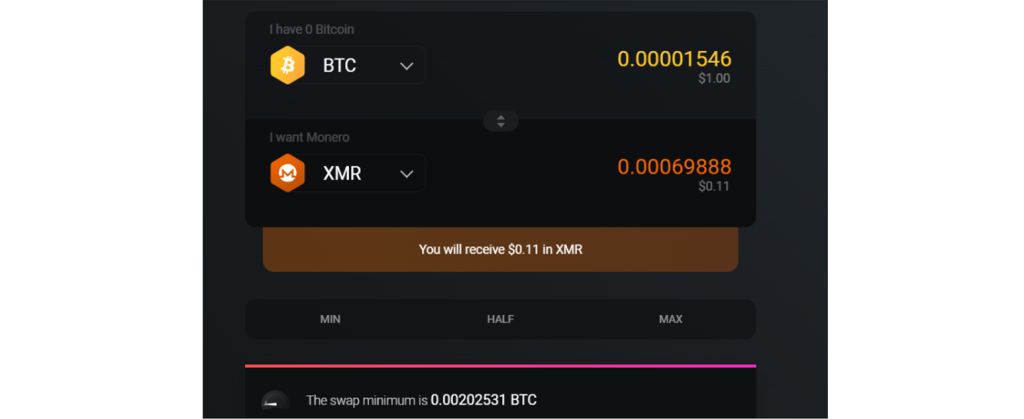
Step 5. Review the Swap Details
Check Details: Review the details of the swap, including the amount of BTC you are exchanging, the amount of XMR you will receive, and any associated fees. Exodus will show you an estimate of the fees and the expected amount of XMR you will receive.
Step 6. Confirm the Swap
Initiate the Swap: Click on the “Exchange” or “Swap” button to begin the transaction.
Confirm: Follow any prompts to confirm the swap. Exodus might ask you to review the transaction details one last time before proceeding.
Step 7. Wait for Confirmation
Processing: The swap process will begin. Exodus will handle the exchange process through integrated services.
Completion: The transaction will take some time to process. You will see a notification once the swap is complete, and the Monero (XMR) will be credited to your wallet.
Step 8. Check Your Wallet
Verify Receipt: After the swap is complete, check your wallet balance to ensure that the Monero (XMR) has been credited to your account. You can also view the transaction details within the wallet to confirm everything is correct.
Additional Tips
Fees: Be aware of the fees associated with the swap. Exodus will provide an estimate of the fees before you confirm the transaction. Using the internal swap function will incur higher fees than using an external swapper. Internal swapper fees range from 2% to 3% per transaction.
Network Congestion: Swap times can vary based on network congestion and the current load on the exchange services integrated with Exodus.
Security: Ensure your Exodus wallet is secure and up-to-date. Enable security features like strong passwords and backup options to protect your assets.
By following these steps, you can easily swap BTC for XMR directly within your Exodus wallet.
Disclaimer:
The information presented on this page is intended solely for educational purposes and should not be construed as professional advice. References to third-party products, services, or companies are not endorsements and are provided for informational purposes only. We disclaim responsibility for the accuracy or reliability of such third-party information and shall not be liable for any losses incurred as a result of its use. Users are advised to conduct independent research and consult with qualified professionals prior to making any decisions based on the information provided here.