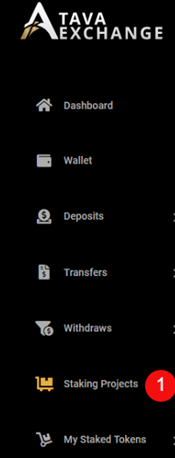
– Click on the “Staking Projects” button on the menu bar – see number 1.
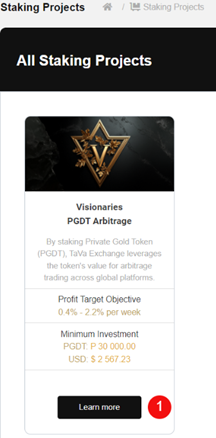
– Click on the “Learn more” button – see number 1.
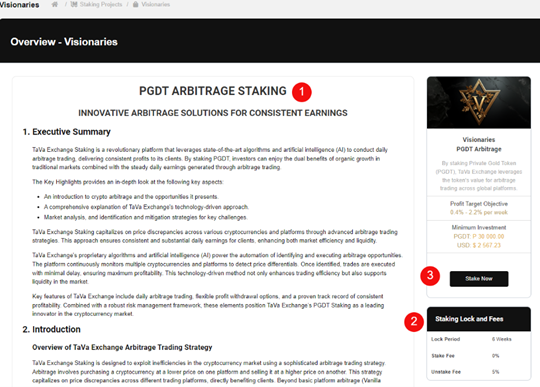
– Read PGDT Arbitrage Staking Overview – see number 1.
– Take note of the Staking Lock and Fees – see number 2.
– Click on “Stake Now” – see number 3.
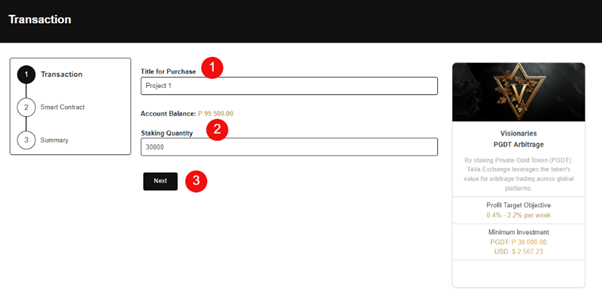
– Enter a Title for your purchase – see number 1.
– Enter the amount you wan to stake – see number 2.
– Click on the “Next” Button – see number 3.
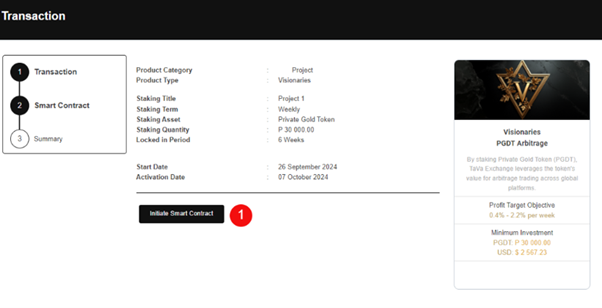
– Click on the “Initiate Smart Contract” button – see number 1.
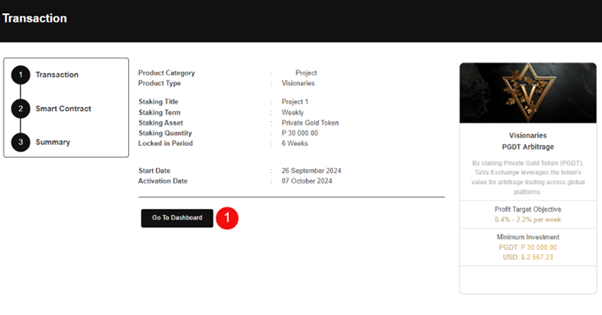
– Click on the “Go To Dashboard” button to view your contract – see number 1.
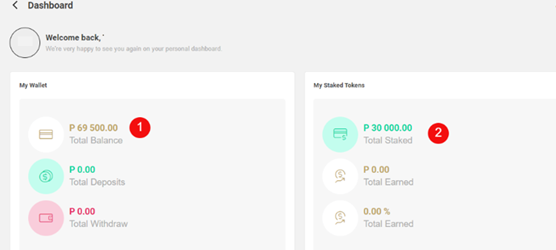
– View your Wallet balance – see number 1.
– View your Staked Tokens – see number 2.
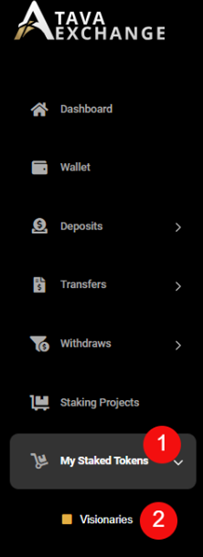
– On the main menu click on “My Staked Tokens” button – see number 1.
– Click on the “Visionaries” button – see number 2.
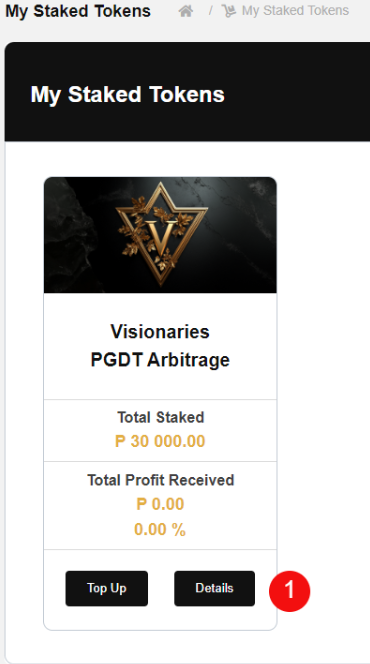
– Click on the “Details” button to view contract information – see number 1.