– Log into your profile by clicking on the below web link using your unique Username and Password and clicking on the “Continue” button.
https://app.tavaexchange.com/auth/login
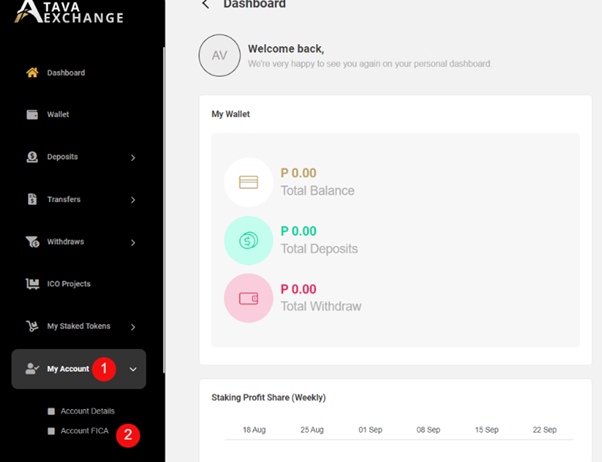
– Click on “My Account” – see number 1
– Then click on “Account FICA” – see number 2
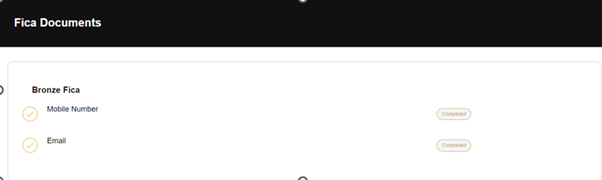
– Verify your Mobile Number and Email address by clicking on the “Verify” button.
– A security code will be sent to your Mobile Number and Email address to verify.
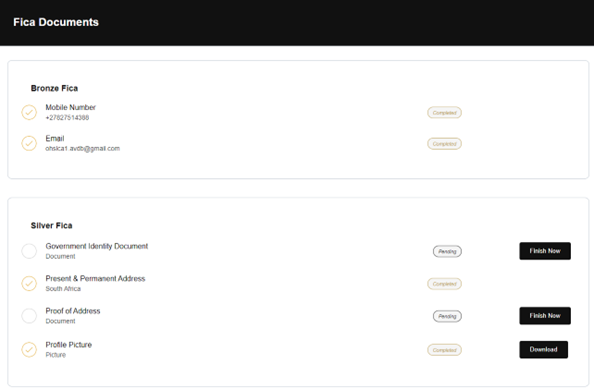
– Once your Mobile Number and Email address has been verified your Bronze FICA should say “Completed”.
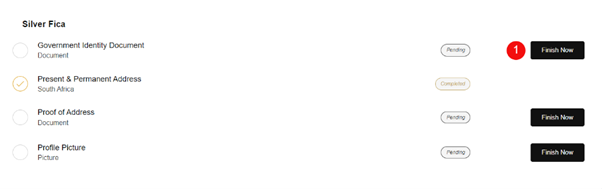
– Upload the required documents to complete your Silver FICA.
– Do this by clicking on the “Finish Now” button – see number 1.
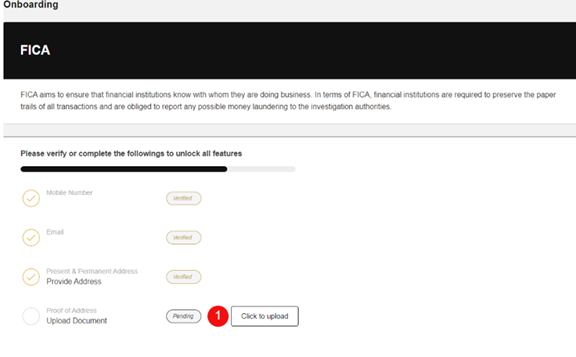
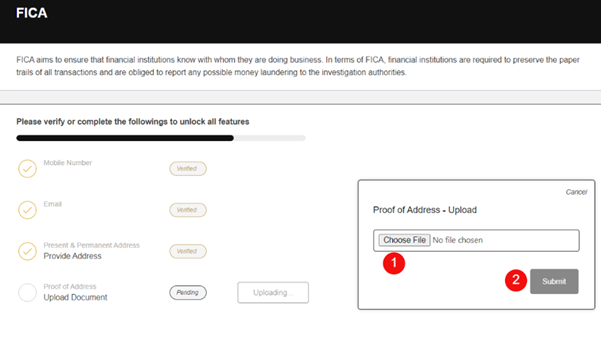
– Click on the “Click to Upload” button – see number 1.
– Upload the necessary document by clicking on number 1.
– Submit the document by clicking on number 2.
– Your FICA will only be completed once all the relevant documents show “Completed”.
– The below FICA still show some outstanding items.