– Log into your personal TaVa profile.
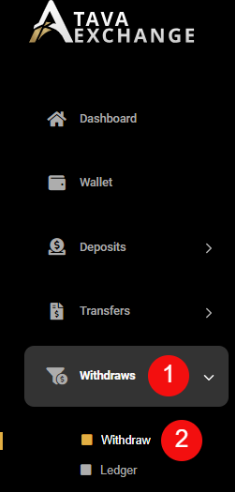
– Click on the “Withdraw” button on the menu bar – see number 1.
– Click on the second “Withdraw” button – see number 2.
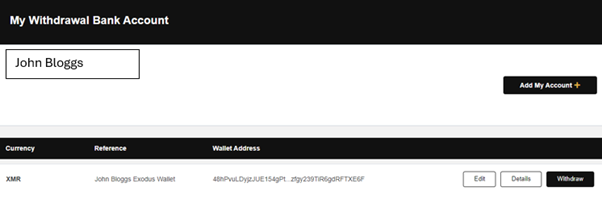
– Click on the “Add New Account” button – see number 1.
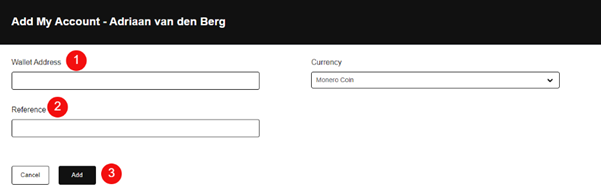
– Enter your XRM Wallet address – see number 1.
– Enter your reference – see number 2.
– Click on the “Add” button – see number 3.
– Your XRM Wallet details will be displayed