– Ask the Beneficiary to send you’re his/her User Number / Account Number
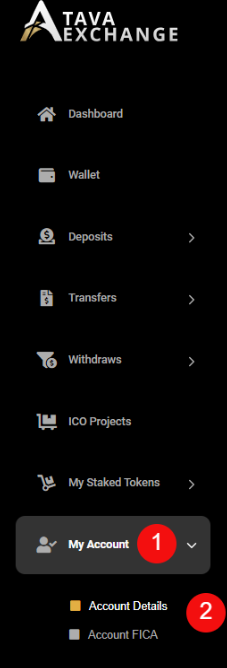
– To retrieve the User Number / Account Number
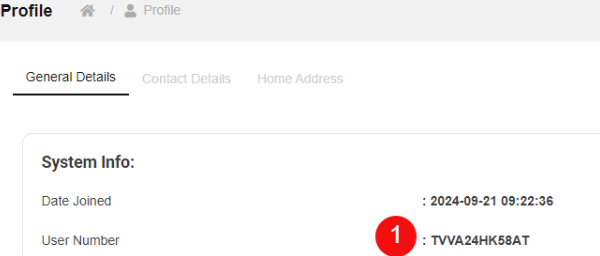
– The User Number / Account Number is displayed – see number 1.
– Log into your personal TaVa profile.
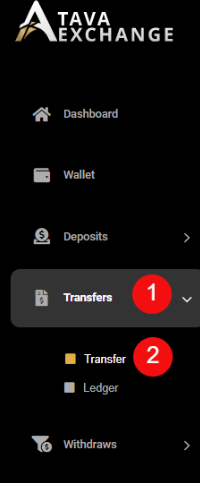
– Click on the “Transfer” button on the menu bar – see number 1.
– Click on the second “Transfer” button – see number 2.
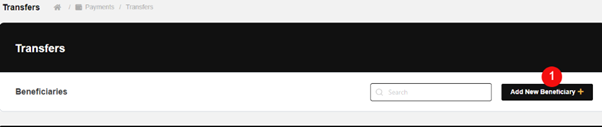
– Click on the “Add New Beneficiary” button – see number 1.
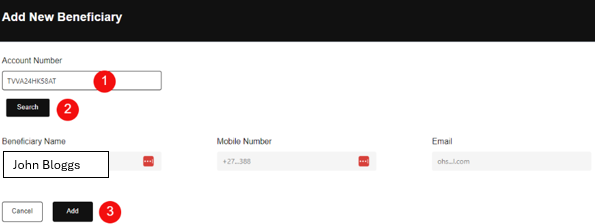
– Enter the Beneficiary User Number / Account Number – see number 1.
– Click on the “Submit” button – see number 2.
– Click on the “Add” button if you are satisfied that the Beneficiary details are correct – see number 3
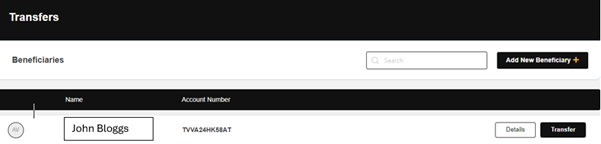
– The new Beneficiary information will be displayed