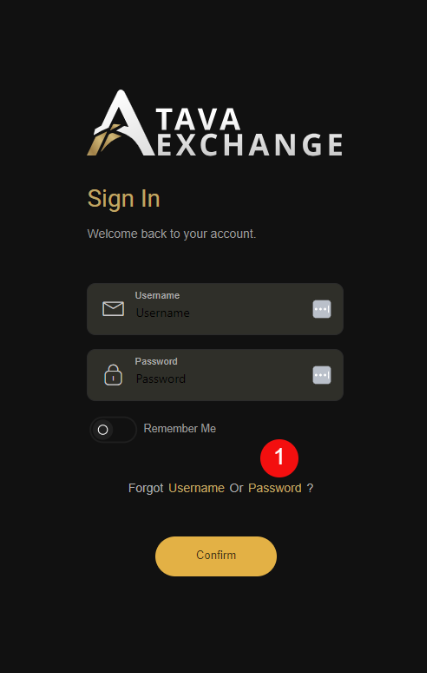
– Go to the TaVa webpage ( https://app.tavaexchange.com/auth/login)
– Click on “Forgot Password” – see number 1.
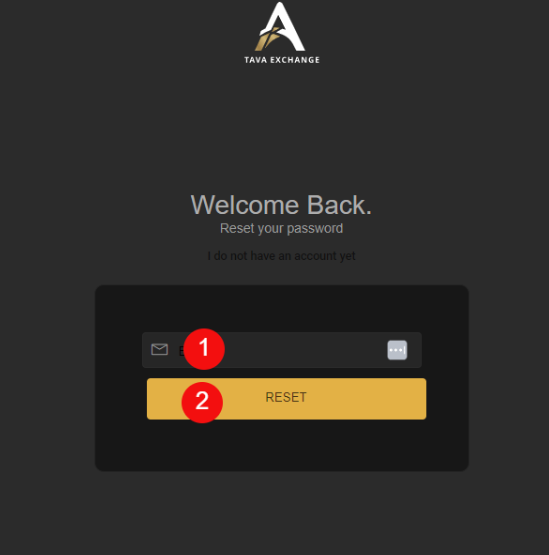
– Type your email address in number 1.
– Click the “Reset” button – see number 2.
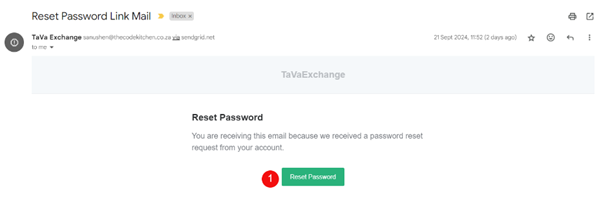
– You will receive an email to reset your Password.
– Click on the “Reset” button – see number 1.
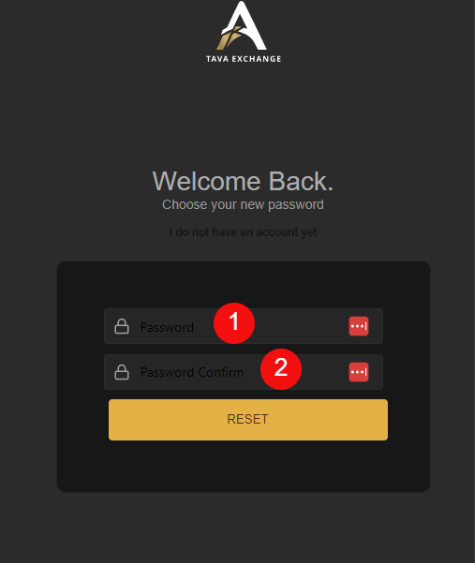
– Type your new password in number 1.
– Confirm your new password in number 2.
– Click the “Reset” button to activate your new password